Home Planner

Floor plan software for interior designers

Get your design approved at the first meeting

Show clients their own room in 4K renders and 360°, with the real products, the budget and a PDF under your logo — all from one Home Planner project, before anything is bought.

Free to start · PRO+ when you hand over to a client

  • 4.6 from 300K+ App Store ratings, as of October 2026
  • 30M+ downloads, as of October 2026
  • 560,000+ real products
  • iPhone, iPad, Android, Mac and Windows
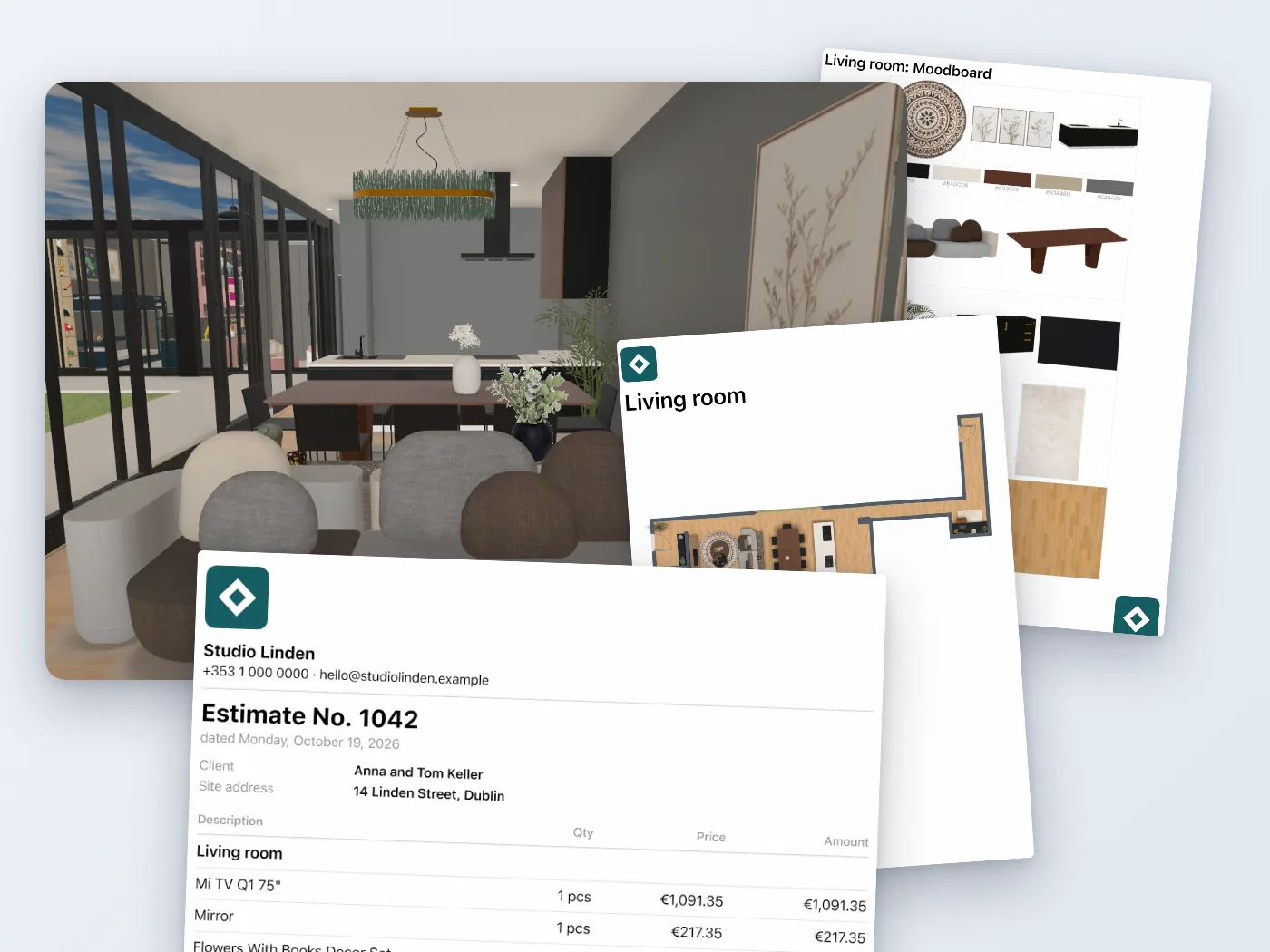
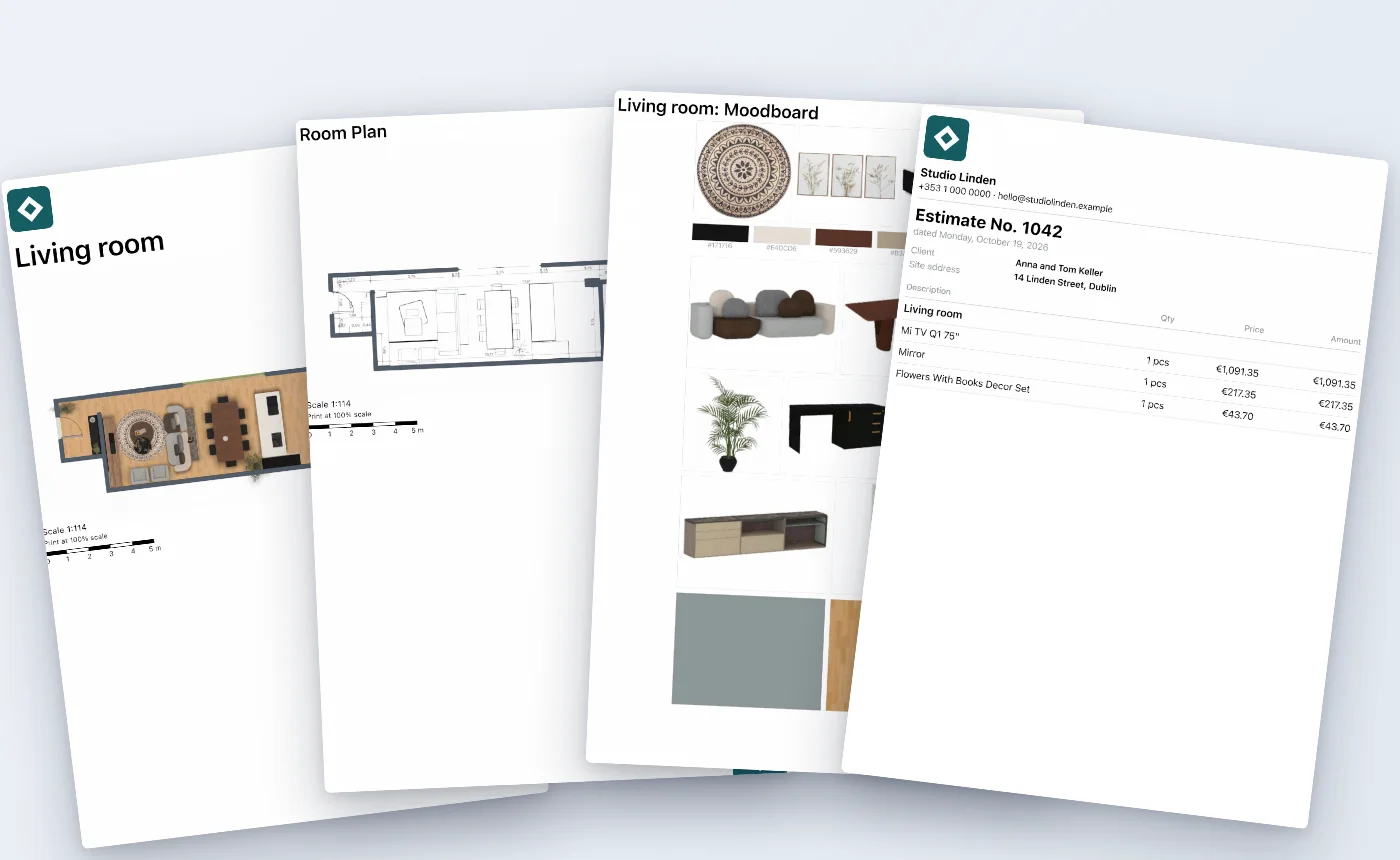
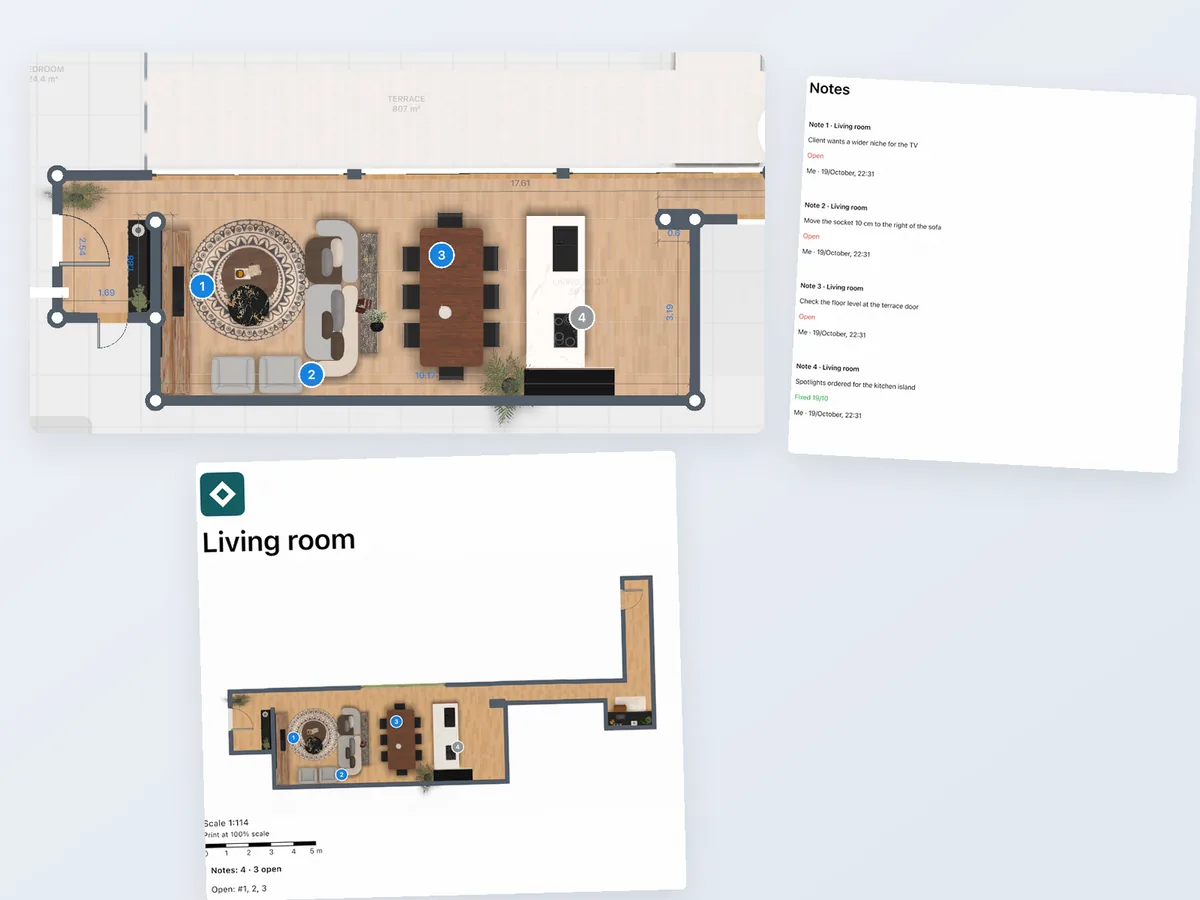
The living room in 3D with the client PDF pages around it: mood board, room plan and the numbered estimate

Why do clients say "let me think about it"?

Because most clients cannot read a floor plan or a mood board, and nobody likes a budget surprise. When the client cannot see the finished room and its price, they postpone the decision — and you start another round of revisions.

  • Every extra round is unpaid time: new sketches, new boards, another meeting.
  • A budget shown after the design is approved often sends you back to the start.
  • A partner who missed the meeting can undo the "yes" you got at it.

Home Planner puts the room, the products, the price and the presentation in one project, so the client decides on what they actually see.

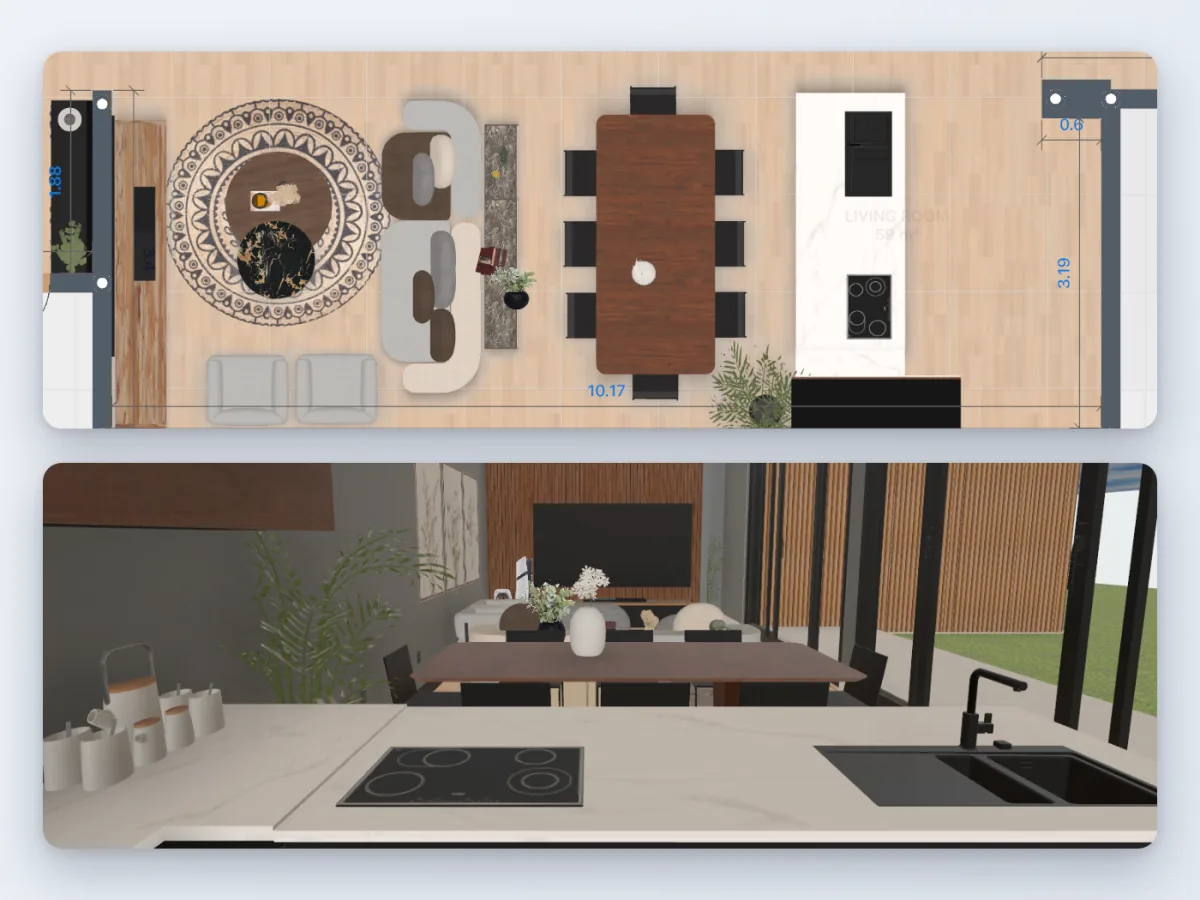
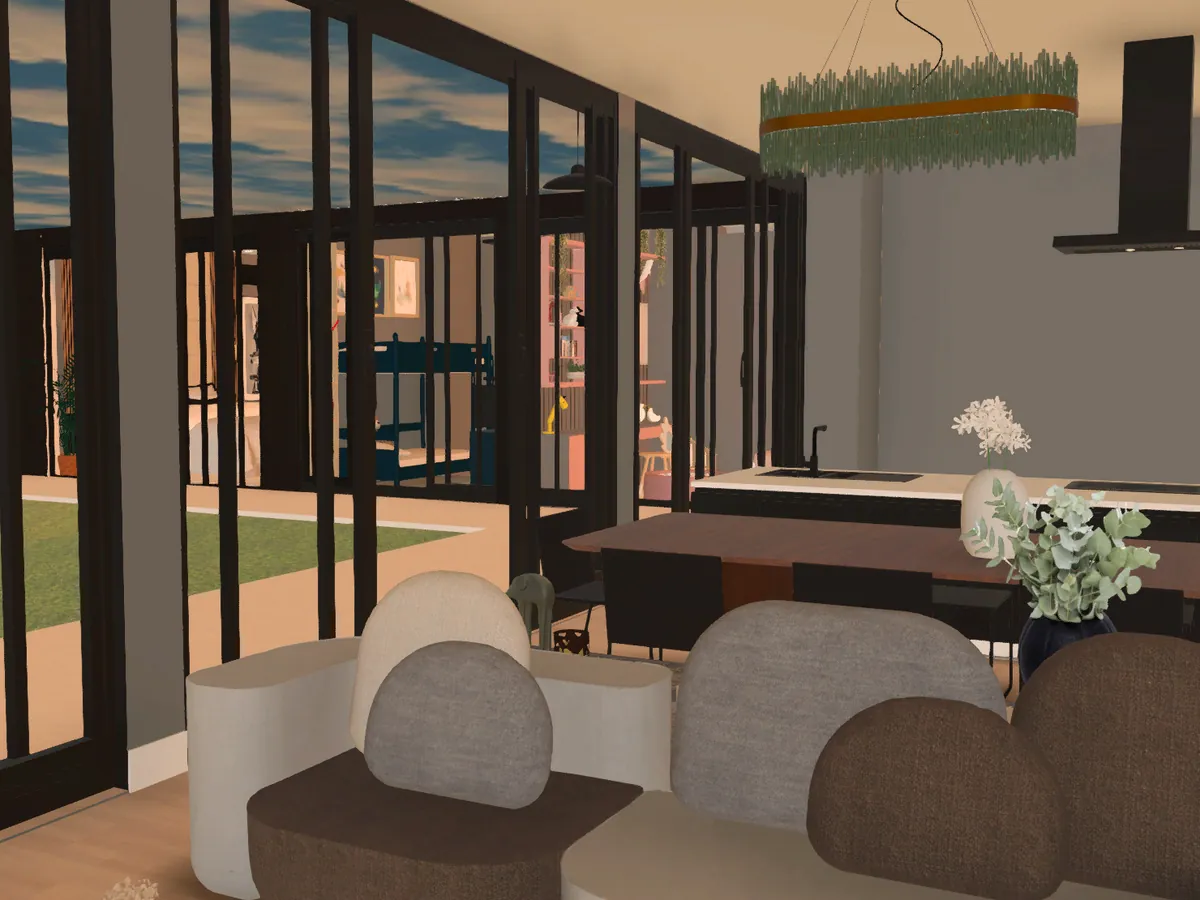
The same room as a floor plan and in 3D

What will my client actually receive?

Five things, all from the same project: renders and a 360° view of their own room, a PDF under your logo, an itemized estimate, a shopping list and a link they open in any browser.

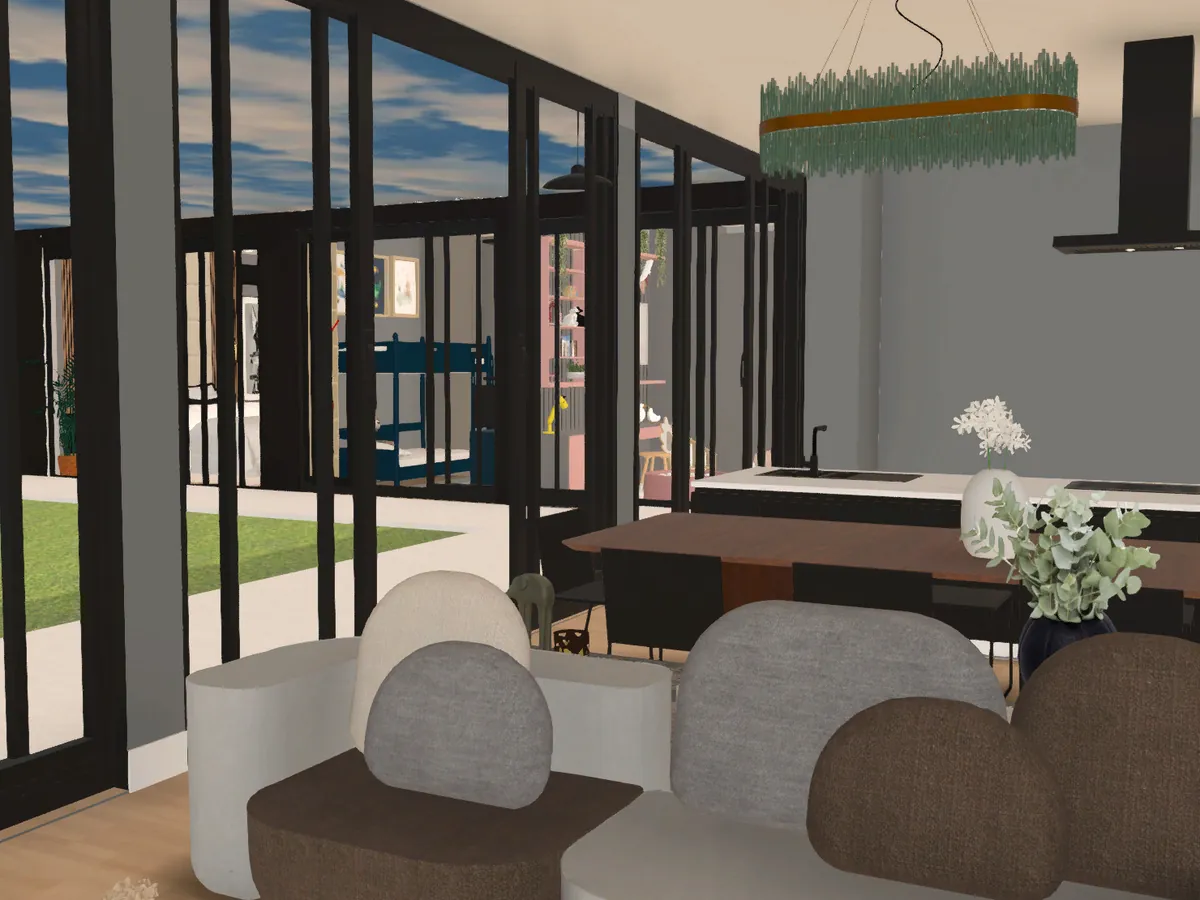
  • 360° and Full HD photo of the same living room
  • Mood-board page of the client PDF
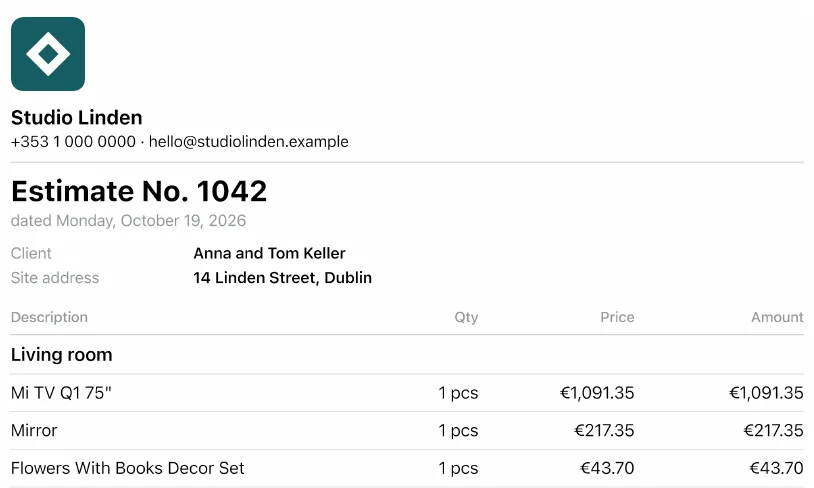
  • Estimate PDF page: numbered, with your logo, the client and the site address
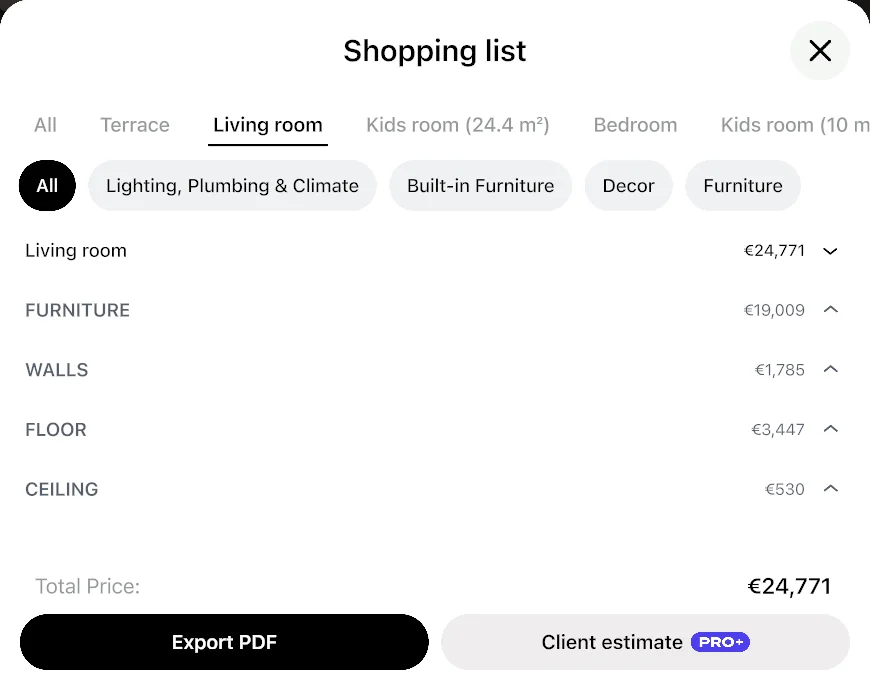
  • Shopping list with quantities and prices
  • The same project open through a shared link in a browser
OutputWhat the client getsPlan
Renders up to 4KPhoto-realistic images of their room, day or evening light
  • PRO+ for 4K
360° photosA view they can turn around in, as if standing in the room
  • PRO+
Client PDFYour logo, plans, wall elevations, renders, mood board and estimate in one document
  • PRO+
Estimate PDFNumbered, with your markup and work items; the first one is free
  • First one free
  • PRO+
Shared linkThe project opens in any browser — no app, no sign-up
  • Free

How does Home Planner help a client say yes?

Clients approve a design when they see their own room, agree the direction and the budget early, and get a clear presentation everyone can review. Home Planner gives you a tool for each of these steps.

What gets a client to yesWhat you show in Home PlannerPlan
The direction is agreed before you design everythingTheir room photo redesigned in 40+ styles, and a mood board with the color palette
  • AI Redesign: free trial · PRO
  • Mood board: PRO+
They see their own room, not a stock interiorTheir measured room in 3D, furnished with real products, as 4K renders and 360°
  • PRO+ for 4K and 360°
The budget is clear before the presentationShopping list with prices, and an estimate with your markup and work items
  • PRO+
The presentation is easy to followOne PDF: your logo, plans, elevations, renders, mood board, estimate
  • PRO+
Real materials and products, not placeholders560,000+ real brand products, finishes and textures
  • Free · full catalog on PRO
Doubts are answered before they are asked360° walk-around, morning and evening light, every dimension on the plan
  • PRO+
Everyone who decides can review itA link that opens in any browser, and numbered notes in the PDF
  • Free
The decision is recordedA numbered estimate with your logo, the client and the site address, and plan notes marked "Fixed"
  • PRO+

Each row links to its section below.

Can I show the client their own room, not a stock interior?

Yes. Measure the client's room on site, and Home Planner builds the plan to scale; furnish it with real products and show it as 4K renders and a 360° view.

  • Scan the room with a phone or tablet, use a Bluetooth® laser meter, or upload the client's old plan and let AI turn it into walls and rooms.
  • Every wall, door and window is to scale, so the sofa that fits in the render fits in the room.
  • Furnish from 560,000+ real brand products, with real finishes and textures.
  • Renders up to 4K and 360° photos of the result.
  • Laser meter and LiDAR scan: PRO
  • 4K and 360°: PRO+
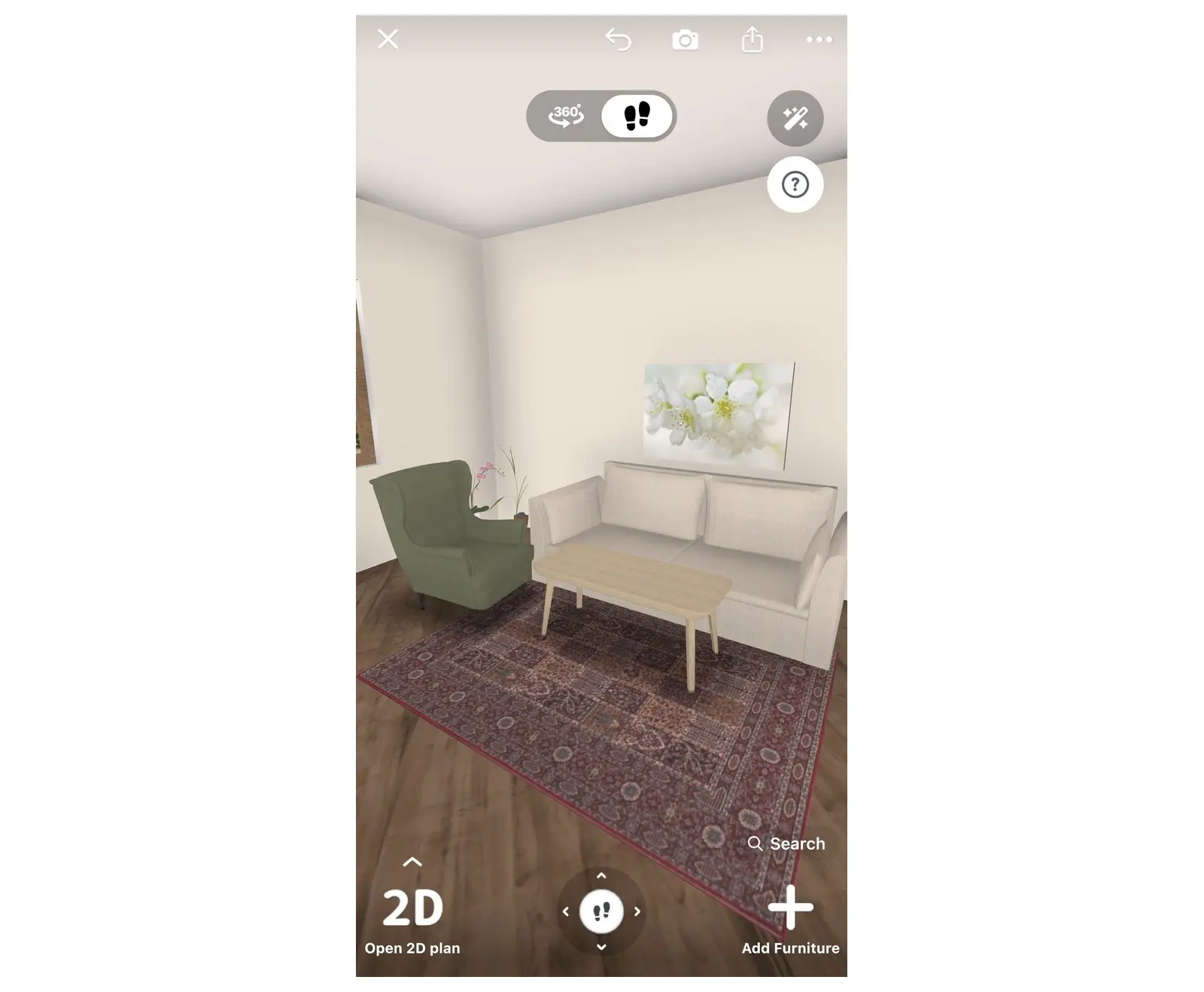
A furnished living room in 3D with wall and floor materials

How do I agree the direction before I design everything?

Show the client their own room in a few styles first, and build only the one they choose. A mood board then fixes the colors and materials before you spend hours in 3D.

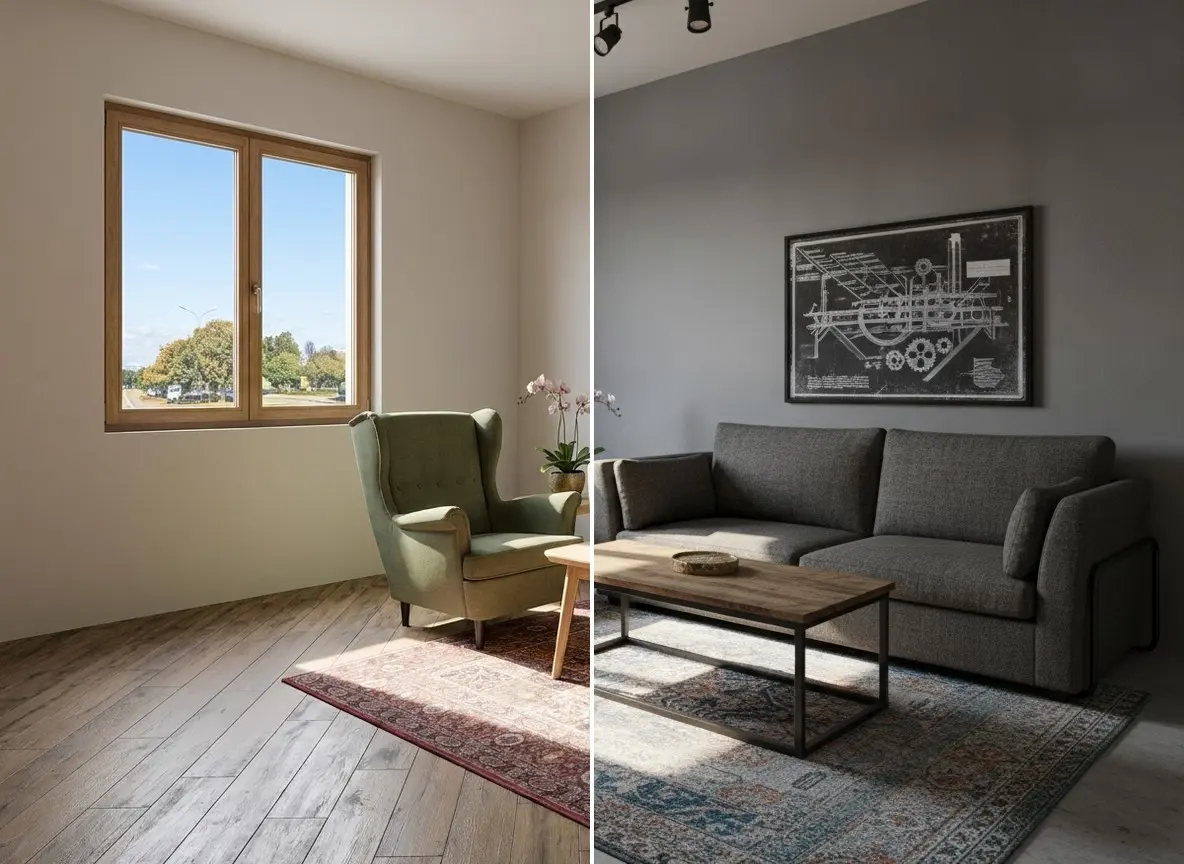
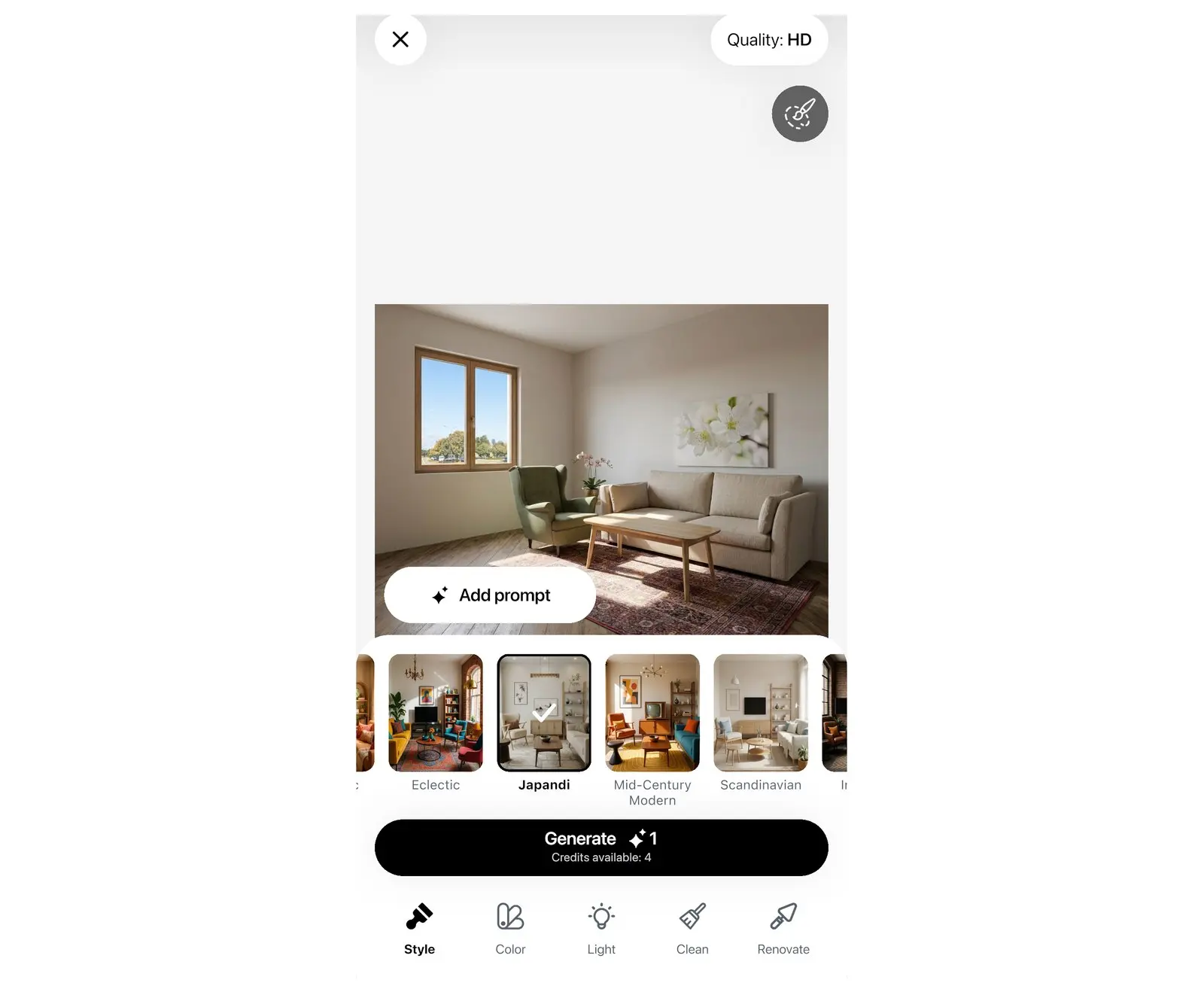
  • Take a photo of the client's room and get it redesigned in any of 40+ styles in seconds.
  • Compare three styles at the first meeting and pick one together.
  • Turn the chosen look into a mood board with a five-color palette, and add it to the client PDF.
  • AI Redesign: free to try · PRO
  • Mood board in the client PDF: PRO+
A living room photo on the left and the room redesigned with AI Redesign in the Industrial style on the right (AI-generated image)

How do I agree the budget before the presentation?

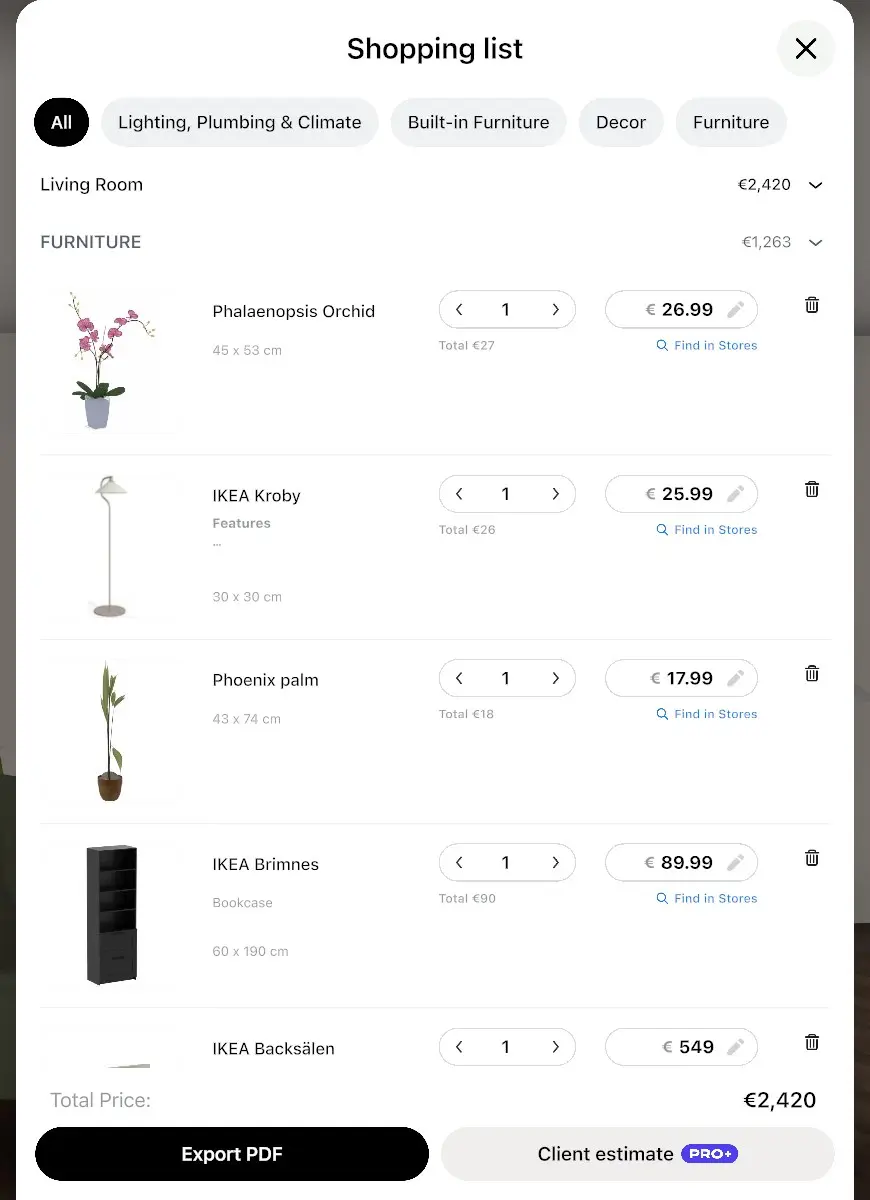
Every product you place goes into a shopping list with its price, so the budget grows with the design. Add your markup and work items, and send a numbered estimate PDF the client can approve.

  • Shopping list: every item, quantity, price and the total.
  • Cost estimates: furniture and decor, flooring and walls, per room.
  • Your markup and your work items, at your own rates.
  • Numbered estimate PDF with your logo and contacts. Your first client estimate PDF is free.
  • PRO+ · first estimate free
The shopping list of a room: costs of furniture, walls, floor and ceiling and the total
Estimate PDF with the number, logo, client, site address, items and total

How do I make the presentation easy to follow?

Send one PDF that tells the story in order: the plan, the walls, the finished room, the mood, the budget. Your logo is on it; the Home Planner watermark is not.

  • Cover with your logo and the client's project name.
  • Floor plans and wall elevations with dimensions.
  • Renders of each room.
  • Mood board page and estimate page.
  • Room statistics: areas and quantities.
  • PRO+
Pages of one client PDF: the cover with the studio logo and plan, the room plan with dimensions, the mood board and the estimate

How do I answer the questions before the client asks them?

"Will it feel dark in the evening?" "Is there room to walk around the island?" Show the answer instead of describing it.

  • 360° photos: the client turns around inside the finished room.
  • Morning, day and evening light in renders.
  • Every dimension on the plan, every wall in elevation.
  • Real products with real sizes, so you can check the fit before delivery.
  • PRO+
The same room rendered in daylight and in evening light
DaylightEvening

How do I bring in everyone who decides — and record the decision?

Send the project as a link: the partner who missed the meeting opens it in any browser. Notes and the numbered estimate keep track of what was agreed.

  • Share a link to the project; it opens in any browser, no app needed.
  • Numbered notes on the plan, with photos; mark each one "Fixed" when it is done. They print on a Notes page in the PDF.
  • The estimate has a number, your logo, the client and the site address.
  • Share link: Free
  • Notes page and estimate PDF: PRO+
Floor plan with numbered notes, one marked Fixed, next to the Notes page of the PDF

Can I hand the design over to the maker without redrawing it?

Yes. Export the plan to DWG/DXF for the joiner, the architect or the contractor, and to 3ds Max if you finish renders elsewhere.

  • DWG/DXF that opens in AutoCAD and ArchiCAD.
  • Furniture as blocks in the DWG, and your logo on the floor sheets.
  • Export to 3ds Max.
  • Commercial use license and no watermark on every export.
  • PRO+
  • Furniture blocks and 3ds Max export: PRO++
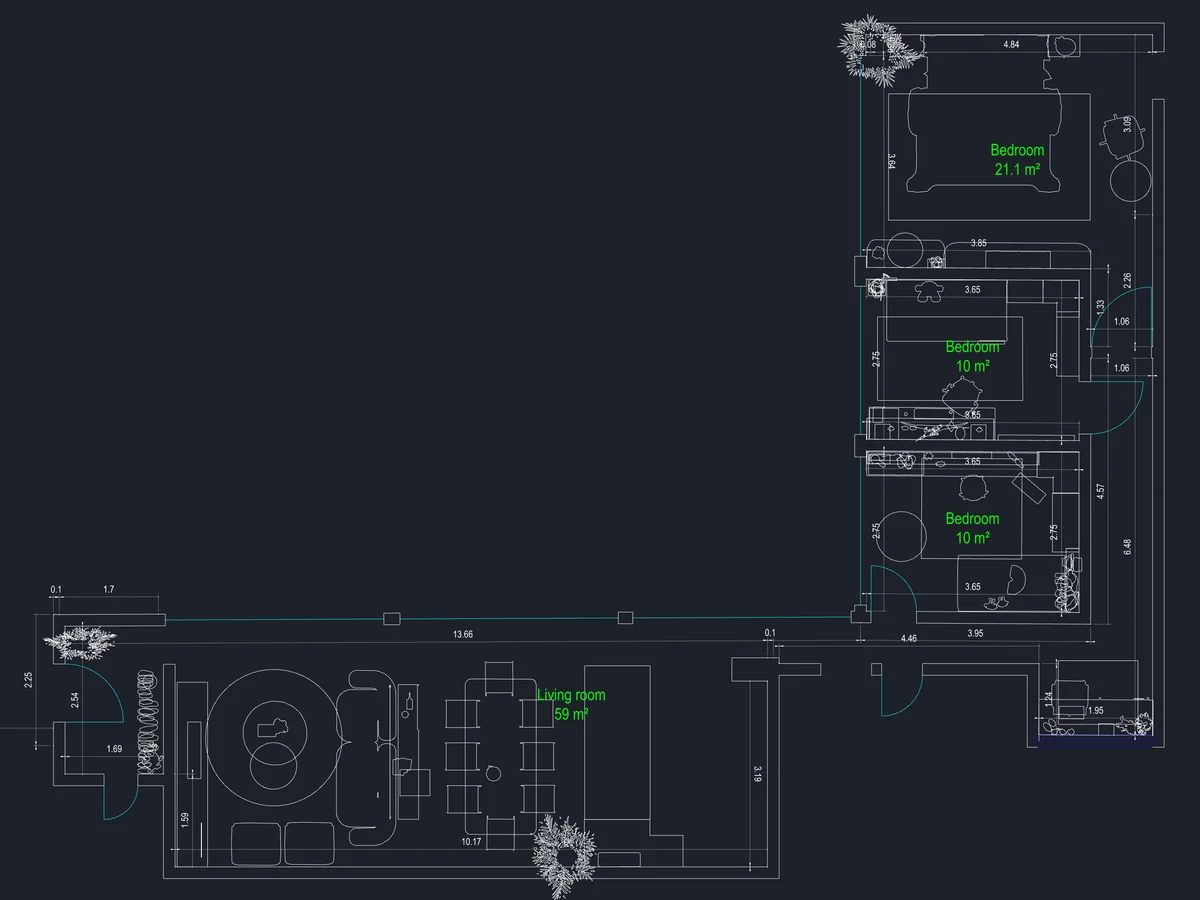
The plan as a CAD drawing, with furniture blocks

Which project is yours?

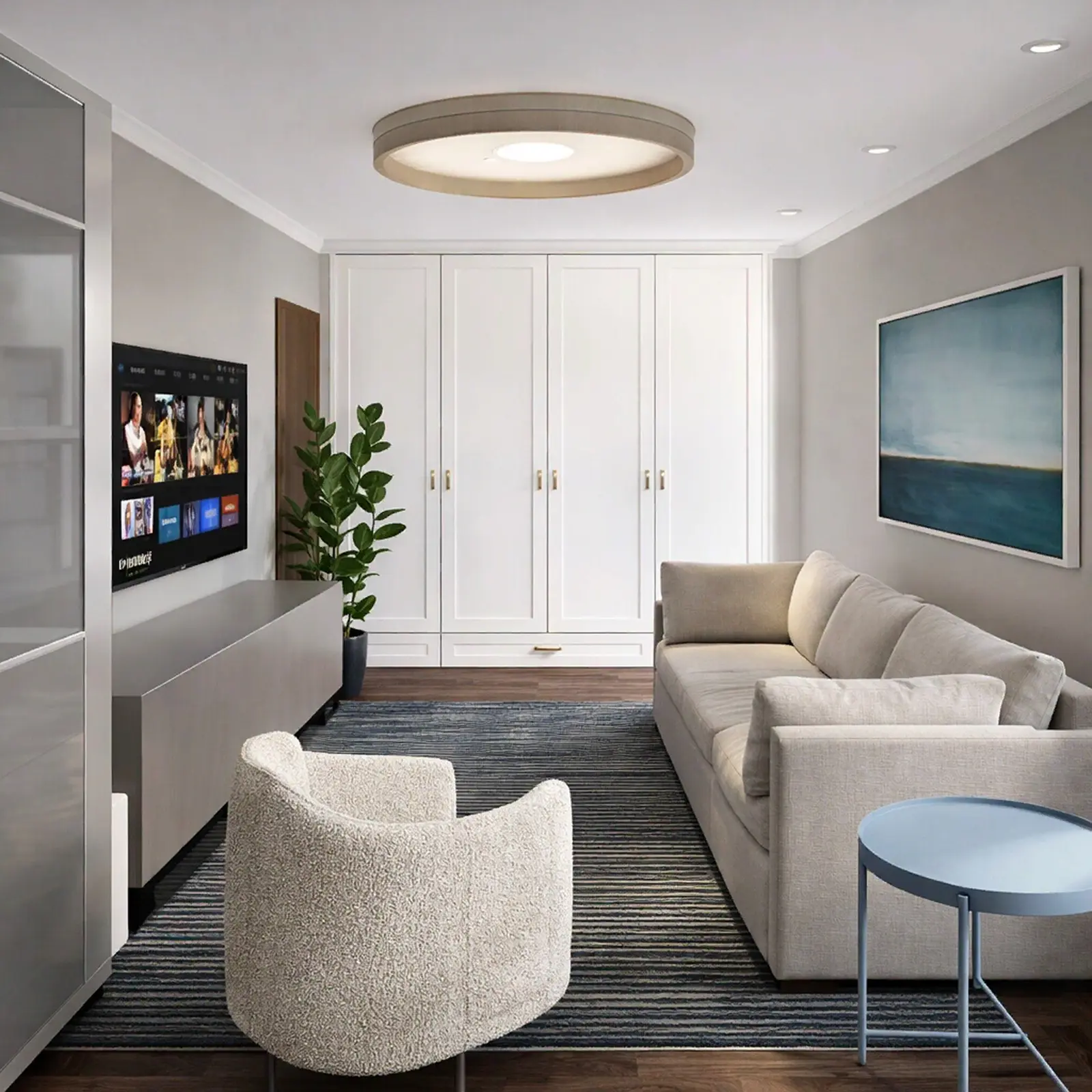
A narrow living room with a wall-mounted TV, a beige sofa and a boucle armchair

Renders and a client PDF from one project

Residential designers

  1. Measure or import the plan
  2. Furnish with real products
  3. 4K renders and 360°
  4. Client PDF with mood board and logo

Before: three rounds of sketches

After: one presentation the client says yes to

AI Redesign style panel with interior style tiles and the Generate button

Show the client three styles at once

Early concept stage

  1. Photo of the client's room
  2. AI Redesign in several styles
  3. Pick one, build it in 3D

Before: a style board per option

After: choose together on the spot

Shopping list with items, quantities, prices and the total

Agree the budget with real items

Turnkey and furnishing projects

  1. Shopping list from the design
  2. Your markup
  3. Estimate PDF the client approves

Before: a spreadsheet by hand

After: the list builds itself

The plan as a CAD drawing, with furniture blocks

Design with the client, hand over to the maker

Studios and remote clients

  1. Share the project by link
  2. Numbered notes on the plan
  3. DWG with furniture blocks

Before: emails with screenshots

After: one shared project

DWG blocks: PRO++

Plans for designers

Start free with your own projects. Move to PRO+ when you present to clients; choose PRO++ when you hand drawings to makers or run client leads through a CRM.

Free

$0 /month

  • Plan, 3D and real products for your own projects
  • Renders of your designs
  • Your first client estimate PDF

PRO+

$17.99 /month

Save 63%

$219.99 billed annually, plus sales tax where applicable

  • Unlimited designs, full catalog
  • 4K renders, 360° photos, advanced lighting
  • Client PDF with your logo, mood board and estimate; no watermark
  • DWG/DXF export
  • Commercial use license

PRO++

$41.99 /month

Save 65%

$499.99 billed annually, plus sales tax where applicable

  • Everything in PRO+
  • Furniture blocks in DWG and 3ds Max export
  • CRM: HubSpot, Pipedrive, Salesforce, Google Sheets…
  • Larger 3D models

Renews yearly · cancel anytime

Sign in to the app with this email — your plan is there.

On PRO already? Upgrade in the app — same account. Already on this plan? Open the app

Not in the EU, EEA, Switzerland or the US? Buy in the App Store or Google Play — same plans.

Questions designers ask

$17.99 a month, billed yearly ($219.99), or $49.99 month to month. It covers renders, 360°, client PDFs, estimates and CAD export in one app, so you do not pay separately for a renderer, a mood-board tool and a quote template.

Yes. The free plan includes the plan, 3D, the catalog and your first client estimate PDF. Upgrade when you are ready to hand over to a client.

Yes. Cancel any time; the plan stays active until the end of the paid period. Bought on our website — contact support and we'll help with a refund. Bought in the App Store or Google Play — the store handles refunds under its own policy.

No. The PDF opens on any device, and the shared project opens in any browser without signing up.

iPhone, iPad, Android phones and tablets, Mac and Windows. One account works on all of them, and your designs sync. The LiDAR scan needs an iPhone Pro or iPad Pro.

Yes, on PRO+: your logo goes on the client PDF and the estimate, and exports have no Home Planner watermark.

You do. Your designs stay in your account, and you can export them as PDF, DWG/DXF or images at any time.

Yes. PRO+ and PRO++ include a commercial use license.

No. Upgrade to PRO+ in the app with the same account.

Your next client presentation, ready for a yes

Measure the room, furnish it with real products, and show the client the finished room, the budget and the plan in one PDF with your logo. Start free and move to PRO+ when you present.

Home Planner is not affiliated with, endorsed or sponsored by Apple, Google, Microsoft, Bluetooth SIG, Autodesk, Graphisoft, HubSpot, Pipedrive or Salesforce; their names and marks belong to their owners. The Bluetooth® word mark and logos are registered trademarks owned by Bluetooth SIG, Inc. Android is a trademark of Google LLC. iPhone, iPad and Mac are trademarks of Apple Inc., registered in the U.S. and other countries. Other trademarks are the property of their respective owners.