Stop Overpaying: The 2026 Home Planner vs HomeByMe Comparison

Don't get trapped by confusing pricing for your renovation. Compare Home Planner vs HomeByMe to find the best, most powerful 3D interior design app.
When you are deep in the trenches of a home renovation, visualizing the final result shouldn't feel like navigating a maze. Finding the perfect digital design tool is essential to prevent costly purchasing mistakes, but what happens when the tool itself starts draining your budget with hidden fees?
In 2026, two apps stand out for home design enthusiasts: Home Planner and HomeByMe. Both claim to give you the ultimate 3D design experience. However, a deeper dive into their feature sets and structures reveals two completely different approaches to how you should design your home.
If you are looking for a fast, photorealistic, and unrestricted way to plan your renovation—without constantly reaching for your wallet—the choice becomes shockingly clear. Here is why Home Planner outperforms HomeByMe.
1. Quick Comparison: Home Planner vs HomeByMe
| Feature | Home Planner | HomeByMe |
|---|---|---|
| Platform | Full cross-device (Mobile, Tablet, Web) | Primarily browser-based |
| Pricing Model | Basic free + One all-inclusive PRO subscriptions | Subscriptions + separate "Render Packs" |
| Drafting | Manual drafting + Instant LiDAR Scanner + AI recognition + Predesigned Layouts | Manual 2D browser drafting |
| Room Redesign | "AI Redesign" from photos + Inspiration Gallery | Manual block-by-block build |
| Catalog Scope | 500,000+ real retail items | Broad, but mixed with generic shapes |
2. All-Inclusive Subscription vs. Confusing Packs
Let's address the elephant in the room: pricing structures limit creativity.
HomeByMe offers a basic free start, but users quickly hit a wall. Want an unwatermarked, 4K rendering of your beautifully designed kitchen? With HomeByMe, even if you are on a paid subscription tier, you might still need to purchase separate "render packs" or extra 360-views if you run out of your monthly allowance. It can feel like being charged per pixel.
Home Planner removes this stress entirely. It keeps pricing incredibly transparent: the basic features are completely free to get you started. When you decide to upgrade to the premium subscription, absolutely everything is included. One single subscription unlocks unlimited access to all Pro features and ultra-high-quality renders. There are no hidden "packs" to buy and no limits cutting off your creative flow.
3. The Best of Both Worlds: Cross-Device Drafting vs. Browser Only
Before you can decorate a room, you have to build it.
HomeByMe is a robust, mostly browser-based cloud tool. You sit at your computer and manually draw walls and measure floorplans. While traditional, this can be slow and tedious if you are actually standing in an empty physical space trying to visualize a change.
Home Planner gives you the ultimate flexibility across any device. If you prefer classic drafting, you can use the intuitive tools to manually draw a 2D floorplan on your tablet or desktop. But if you are pressed for time, you can use Home Planner's instant AR LiDAR scanner on your phone. By simply pointing your camera, the app captures the exact dimensions, wall lengths, and ceiling heights. You get the best of both traditional drafting and cutting-edge scanning in one package.
4. AI Redesign & Galleries vs. Blank Canvas Anxiety
Starting an interior design project from a completely blank screen often leads to "design anxiety."
In HomeByMe, you are generally forced to start from scratch. You meticulously place every piece of flooring, paint every wall, and drag every furniture item manually.
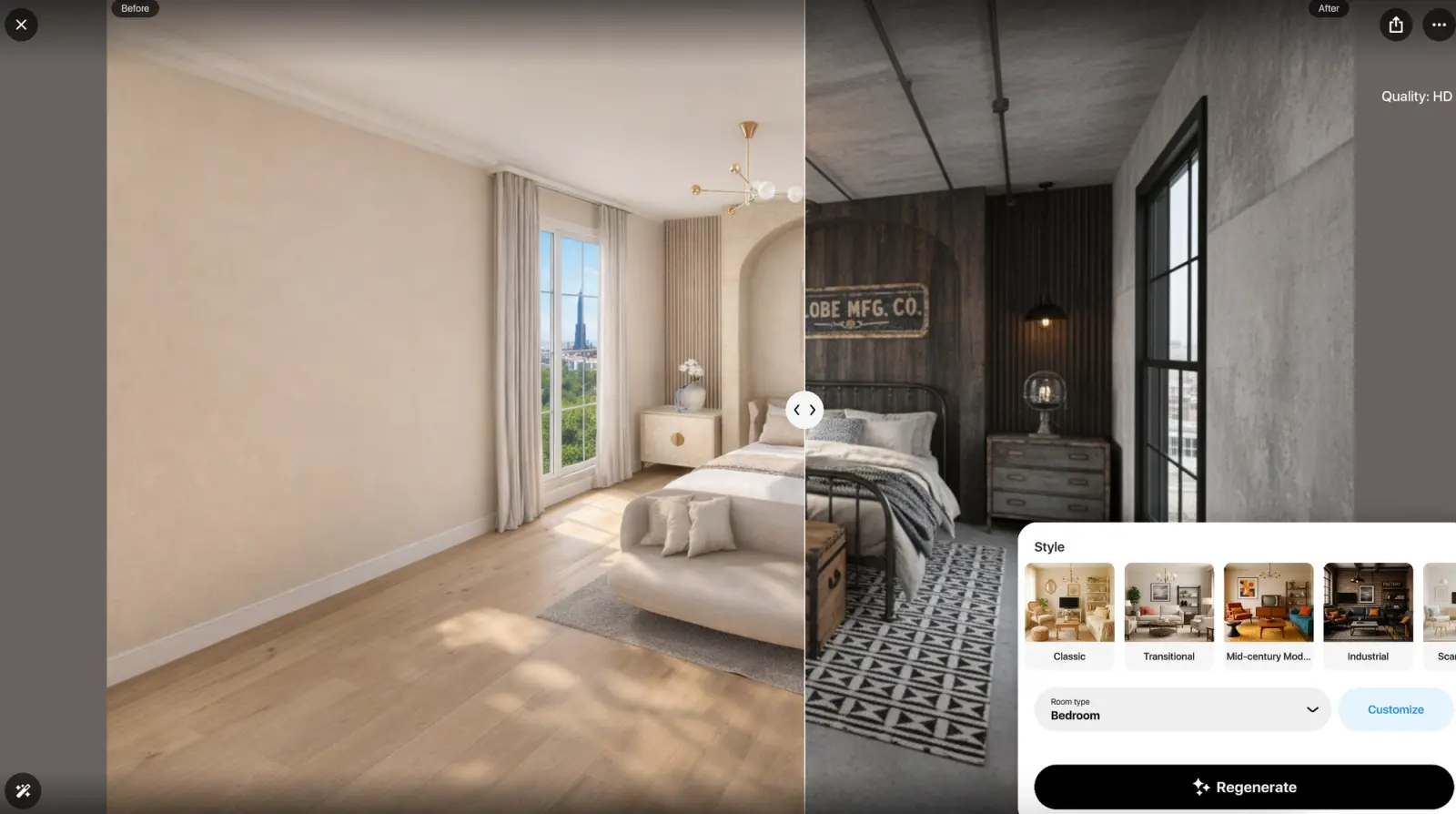
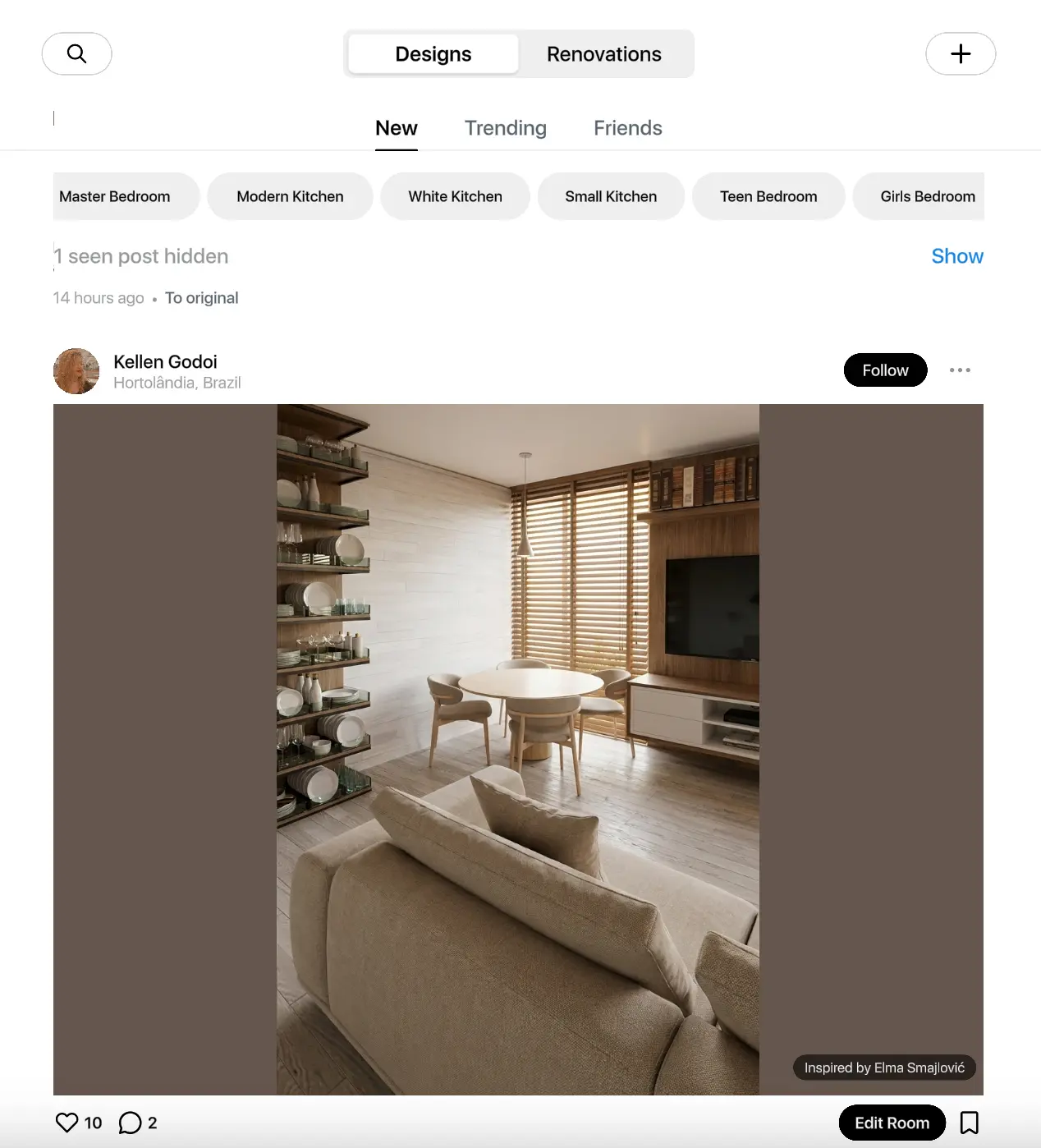
Home Planner attacks this problem from two angles. First, it features a massive Gallery of ready designs and room layouts to give you instant inspiration—you never have to start with a blank screen if you don't want to. Second, it utilizes the powerful AI Redesign tool. Upload a photo of your existing, unfurnished room. Within 60 seconds, the AI redesigns the entire space—complete with lighting, shadows, and furniture—in any style you choose. It respects the real dimensions of your room, giving you instant, executable ideas.
5. Automated Excellence: "Order Design"
If you have a 2D floorplan from a builder, Home Planner’s "Order Design" feature takes the heavy lifting completely off your hands. Without dealing with manual wall-drawing mechanics, the system generates a flawless, photorealistic 360-degree interactive virtual tour. You get professional-grade staging that perfectly mirrors reality, saving you thousands of dollars in architectural fees.
The Verdict: Stop Paying for Pixels
HomeByMe is undeniably a powerful browser tool for those who enjoy the meticulous process of manual desktop drafting and don't mind navigating a complex pricing system.
However, if you want the flexibility to draft manually OR scan your room instantly, need an all-inclusive subscription without hidden fees, and want access to instant AI Redesign inspiration, Home Planner is the clear winner for 2026.
Unsure if that velvet sofa fits? Stop guessing and avoid a costly mistake. Download Home Planner right now, draft or scan your living room, and test out 300,000 real furniture items in stunning 3D today.

Try it on your own project
Free app for iPhone, iPad, Mac, Android and Windows.